Invoices raised from the container record
Storage days, handling, and special-container charges are calculated from what actually happened in the yard, not re-typed from registers.
ICD Management
Depot work spans manifests, container handling, storage, dispatch, and billing. ICD Management is an SAP Business One add-on that brings these operational and billing workflows together for ports, inland container depots, and container freight stations across Africa and India.
For port, inland container depot, CFS, and empty depot teams in Africa and India
+91 99070 36906 · WhatsApp works from any country
What changes for your business
The container record drives the invoice: manifests, handling, storage days, customer tariffs, and empty-depot operations on SAP Business One, built for port, ICD, and CFS operators across Africa and India.
Storage days, handling, and special-container charges are calculated from what actually happened in the yard, not re-typed from registers.
Customer-group pricing, free periods, and slabs are configured once and applied to every container, which cuts disputes and revenue leakage.
Gate-in, customs hold, released, and gate-out status are visible without calling the yard.
Empty container receipt, storage, and dispatch documents are generated from the same system with the same billing rules.
Because the add-on runs inside SAP Business One, invoices, receipts, and receivables post directly to the ledger in the currency your company runs on.
What it covers
Six functional areas, all writing to the same container record inside SAP Business One. Tariffs, container types, and customs steps are configured to your depot during implementation.
Upload manifests, process master and house bills of lading, and create the container records the rest of the depot works from.
Handling and documentation steps for the container types that need them, on the same record as everything else.
Customer-group pricing, free days, storage slabs, and handling charges configured once and applied to every container.
The office sees what the yard sees: container status, holds, dwell time, and charges building up.
Empty receipt, storage, and dispatch for shipping lines, with documents generated from the same rules as laden operations.
Cargo stuffing, destuffing, and loose-cargo handling recorded against the container and billed with the rest of the job.
Built for African trade corridors
Depots serving Africa’s ports and the inland corridors behind them handle transit cargo, customs holds, and customer-specific tariffs every day. These are the workflows we scope first.
Each item is configured in SAP Business One and the add-on during implementation; integrations with port or customs systems are confirmed during discovery.
Record the container leaving the port, the transit document reference, arrival at the inland depot, and the status at each step.
Keep customs hold, bonded, and released status on the container record so the yard does not release what customs has not cleared.
Configure free days, storage slabs, and handling charges by customer group and container type; verify charges before the invoice is raised.
Track containers moving onward to landlocked destinations with the corridor references your customers ask for.
Invoice in the currency configured for your SAP Business One company, with exchange-rate handling for customers who settle in USD or a local currency.
Run several depots or CFS locations within one SAP Business One company with location-level stock, charges, and reporting.
An example workflow
Manage manifest and container information for the incoming workload.
Track container operations, including the handling requirements relevant to your depot.
Apply customer-group pricing and verify storage charges as part of billing and invoicing.
The sequence, approvals, and handovers are adapted to your operation during discovery.
In the depot

Gate-in, handling, and status updates recorded as they happen.

Container status and charges visible to the office in real time.

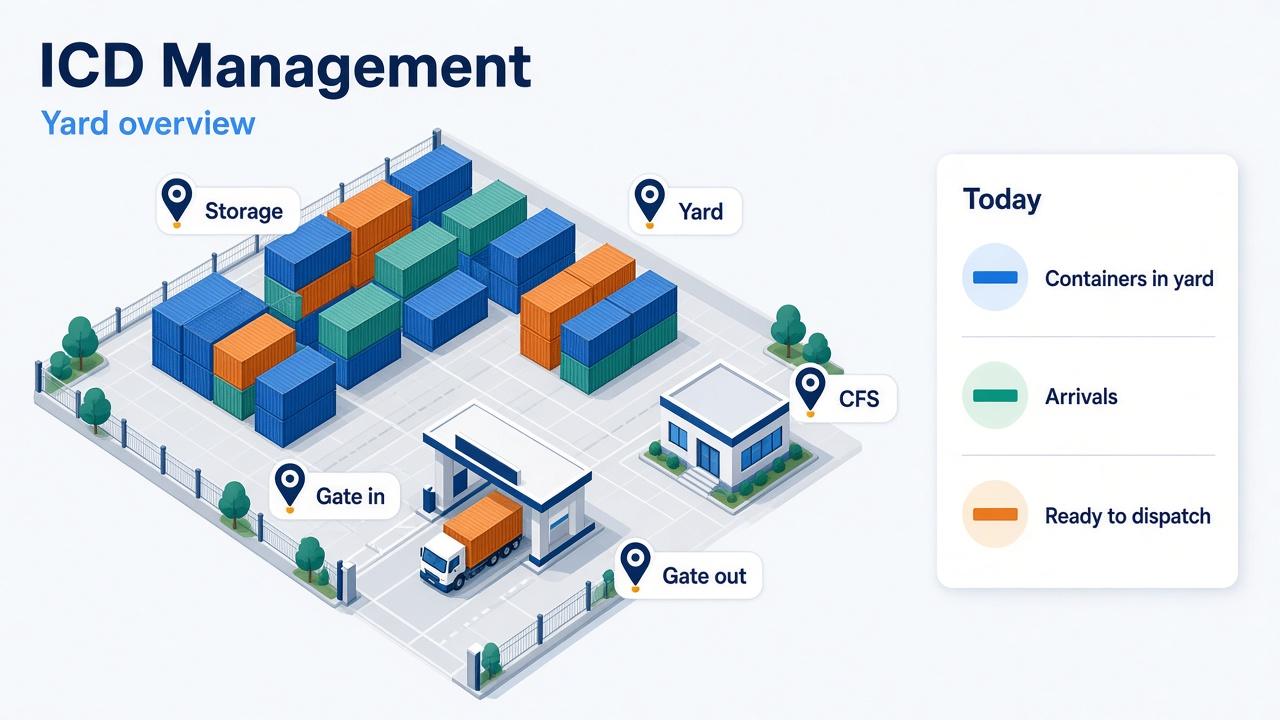
Manifest upload, container handling, storage, and invoicing on one SAP Business One record.
Photographs show representative depot and terminal settings, not client facilities.
Decisions we agree in discovery
These are answered with your documents before a proposal is written, so the quote reflects your business rather than a generic package.
Your tariff sheet by customer group, container type, and service, including free days and storage slabs.
OOG, dangerous goods, reefer, high cube, and the handling and documentation each requires in your yard.
Port-to-depot transit references, customs hold and release steps, and bonded storage rules for your country.
One depot or several, and how stock, charges, and reports are separated by location within one SAP Business One company.
Invoicing currency, exchange-rate handling for customers who settle in USD or local currency, and the tax lines your invoices carry.
Port community systems, weighbridges, gate systems, and customer portals are scoped with sample data before commitment.
How LITPL implements it
Proposals show licences, services, and support separately, in the currency you contract in.
Hosting, delivery, and support
The add-on runs inside your SAP Business One company. Hosting near your users keeps the yard responsive; remote support reaches the system either way.
Discovery, configuration, training, and support run over video calls, screen sharing, and WhatsApp in a working window that overlaps your day. On-site visits are arranged for go-live or plant and yard walkthroughs when they add value.
WhatsApp is the fastest channel. Email and phone are answered Monday to Saturday in the agreed window; extended support windows are agreed per project.
Working hours in your time zone and the full delivery model are on the Where we work page.
Questions buyers ask
Choose a representative container journey from arrival to dispatch. Include special handling, storage rules, and customer pricing so the discussion covers operational exceptions as well as the standard flow.
ICD Management is an add-on to SAP Business One. If you do not have it yet, the implementation includes the SAP Business One company setup for finance, receivables, and inventory.
Yes, within SAP Business One’s multi-currency setup. The invoicing currency, exchange-rate source, and settlement handling are agreed during discovery.
Customs and bonded status are kept on the container record so the yard cannot release what customs has not cleared. The exact steps follow your country’s procedure.
Integration depends on what those systems expose. We review the available interfaces and sample data before scoping any connection.
Client references are available on request during a demo. We do not publish client names without written permission.
Next step
Bring a sample manifest, tariff sheet, storage calculation, invoice, and details of your SAP Business One environment.
Working with businesses across Africa and India, with remote delivery and on-site visits when the project needs them.